

How to set up Lumin Meta Reviews
Use a merchantlumin_review metaobject and the Lumin Meta Reviews theme section to show product reviews on your storefront—without the Lumin Kit app.
For app-synced reviews, see Lumin Kit reviews.
Video
What you’ll create
- A metaobject definition named
lumin_reviewwith the fields below. - Storefront access so the theme can read entries.
- Review entries (manually or via CSV / Matrixify).
- The Lumin Meta Reviews section on a product template.
lumin-review-metaobjects.csv.
1. Open Metaobjects
In Shopify Admin go to Content → Metaobjects, or Settings → Metafields and metaobjects. Under Metaobject definitions, click Add definition.

2. Create the lumin_review definition
Set the Name to something clear (for example “Lumin review”). The Type / handle must be exactly:
lumin_review
That handle is what the theme section looks up by default.
Fields to add
Keep the key (API name) exact—including the spellingsavtar and marchent_reply if you match the live definition used with LuminOS.
*Recommended: always set
product so reviews only appear on the right product page.

lumin_review, then add the fields from the table.
3. Turn on storefront access
Open the definition → Metaobject options (or Access). Enable storefront access so Liquid can read entries:- Storefronts API access: On (Read)

4. Add review entries
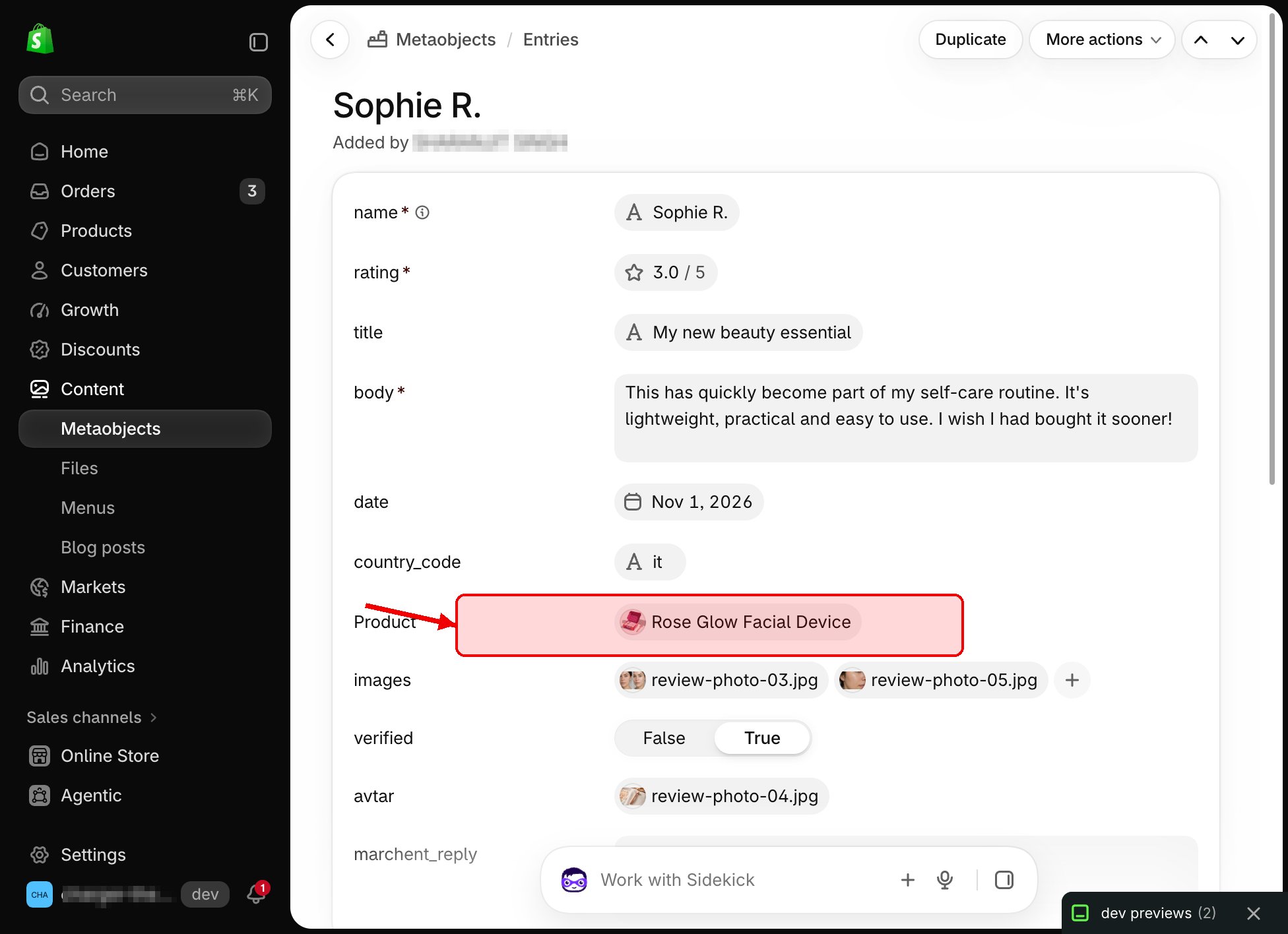
From Content → Metaobjects, openlumin_review → click Add entry.

Fill in a review
- Enter name, rating, and body (required).
- Optionally set title, date, and country code (e.g.
US). - Select the Product this review belongs to.
- Upload images and optional avtar.
- Set verified to True if it was a verified purchase.
- Add a marchent_reply if you want a store response.
- Save.

5. Bulk import with Matrixify (optional)
For many reviews, use Matrixify with a Metaobjects CSV. File name should includemetaobjects.
- Columns typically include Handle, Command, Status, Definition: Handle, and Field / Value pairs.
- Definition: Handle =
lumin_review - rating must be JSON, for example:
5.0.
- product should reference the product handle in the format Matrixify expects for product references.
6. Add the theme section
- Online Store → Themes → Customize.
- Open a product template.
- Add section Lumin Meta Reviews.
- Confirm Metaobject type is
lumin_review(default). - Choose section width and layout options, then save.
shop.metaobjects.lumin_review, filters by the current product, and supports filter / sort / pagination in the browser. Write-a-review uses Shopify’s contact form email—publish new reviews by creating metaobject entries.
Quick checklist
- Definition handle is
lumin_review - Field keys match the table above
- Storefront read access is on
- Entries link to the correct product
- Lumin Meta Reviews section is on the product template